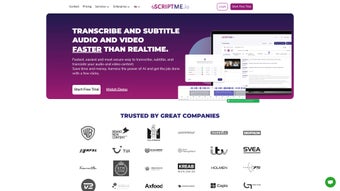

Download ScriptMe – AI Transcription, Captioning & Subtitling Tool
Overview
ScriptMe is a cloud‑based AI transcription platform designed to turn audio and video files into accurate, searchable text faster than real‑time. Powered by advanced speech‑recognition models, the service supports more than 31 languages, making it a versatile choice for creators, educators, journalists, and corporate teams worldwide. Beyond raw transcription, ScriptMe adds value with automatic caption generation, subtitle timing, and seamless export options for industry‑standard editing suites such as Avid Media Composer and Adobe Premiere Pro.
The interface is built for speed: users drag‑and‑drop media, select their target language, and receive a polished transcript within minutes. Integrated translation tools let you produce multilingual subtitles without leaving the platform, while an intuitive text editor lets you tweak font, color, and positioning to match brand guidelines or broadcast standards. Security is baked in, with encrypted data transfer and optional on‑premise deployment for enterprises that need strict compliance.
In short, ScriptMe streamlines the entire workflow from raw footage to publish‑ready captions, helping professionals save countless hours that would otherwise be spent on manual typing and formatting.
Key Features & Benefits
- Real‑time speed: Generates transcripts up to 3× faster than listening and typing manually.
- 31+ language support: Covers major global languages, including English, Spanish, Mandarin, Arabic, and French.
- Automatic captioning: Creates SRT, VTT, and TTML files ready for YouTube, Vimeo, or broadcast pipelines.
- Subtitle editing suite: Adjust timing, font style, color, and placement directly in the browser.
- Export to editing software: One‑click export to Avid, Adobe Premiere, Final Cut Pro, and DaVinci Resolve.
- Built‑in translation: Translate transcripts and subtitles into additional languages without third‑party tools.
- Secure cloud processing: TLS‑encrypted uploads, GDPR‑compliant storage, and optional private cloud hosting.
- Collaboration tools: Share projects with team members, assign roles, and track revision history.
- API access: Integrate ScriptMe into custom workflows, LMS platforms, or media asset management systems.
- Flexible pricing: Pay‑as‑you‑go credits or monthly subscriptions for unlimited transcription.
These capabilities translate into tangible benefits for users. Media houses can meet tight broadcast deadlines by auto‑generating captions that meet FCC standards, while academic researchers can quickly produce searchable transcripts for interview data. Corporate trainers can localize e‑learning videos in multiple languages with a single upload, dramatically reducing translation costs. The collaborative environment ensures that editors, translators, and quality‑assurance teams stay in sync, cutting version‑control headaches. Moreover, because the service runs entirely in the browser, there’s no heavy client installation—any modern device can access the full feature set, making remote work and cross‑departmental projects frictionless.
Installation, Compatibility & How to Use ScriptMe
ScriptMe is a web‑native application, which means there is no traditional “installation” process. Users simply visit scriptme.com, create an account, and start uploading media. The platform is optimized for the latest versions of Chrome, Edge, Firefox, and Safari, ensuring smooth performance on Windows 10/11, macOS Ventura and later, as well as Linux distributions that support modern browsers. Mobile users on Android 9+ and iOS 13+ can also access the full editor via the responsive web interface, though longer audio files are best handled on a desktop due to screen real estate.
Getting started in five steps:
- Create an account: Sign up with an email address or single‑sign‑on (SSO) using Google or Microsoft. Verify your email to unlock the free trial credits.
- Upload your media: Drag‑and‑drop an MP4, MOV, WAV, or MP3 file onto the dashboard. The system immediately begins processing and shows an estimated completion time.
- Select language & options: Choose the source language, enable automatic translation if needed, and set caption style presets (font, size, color).
- Review & edit: Once the transcript appears, use the built‑in editor to correct any misrecognitions, adjust timestamps, and format subtitles for readability.
- Export or share: Download the final SRT/VTT file, send the project link to collaborators, or push the file directly into Avid/Premiere via the “Export” button.
For organizations with strict data policies, ScriptMe offers a private‑cloud deployment option. In this scenario, the same browser‑based UI connects to an on‑premise server that resides behind the corporate firewall, guaranteeing that no media ever leaves the internal network. The platform also provides a RESTful API, enabling developers to automate batch transcription jobs, embed caption generation into learning management systems, or trigger workflows from CI/CD pipelines.
Compatibility summary:
- Windows 10/11 (64‑bit)
- macOS Ventura, Monterey, Big Sur
- Linux (Ubuntu 20.04+, Fedora 34+)
- iOS 13+ (Safari)
- Android 9+ (Chrome)
Because the heavy lifting occurs in the cloud, hardware requirements are minimal—any device capable of streaming video and running a modern browser will suffice. This universality makes ScriptMe an ideal choice for remote teams and freelancers who switch between laptops, tablets, and desktops throughout the day.
Pros, Cons, FAQ & Final Verdict
Pros
- Lightning‑fast transcription speeds, often delivering results before playback finishes.
- Extensive language support and built‑in translation for multilingual projects.
- Seamless export to major video‑editing suites, reducing manual file conversion.
- Fully web‑based—no heavy client install, works on any modern OS.
- Robust security with encryption, GDPR compliance, and optional private‑cloud hosting.
Cons
- Reliance on internet connectivity; offline transcription is not possible.
- Advanced subtitle styling may require a learning curve for new users.
- Pay‑as‑you‑go pricing can become expensive for very high‑volume users without a subscription.
Frequently Asked Questions
How accurate is ScriptMe’s AI transcription?
Accuracy typically ranges from 92‑96% for clear, native‑speaker audio. Background noise, heavy accents, or overlapping speakers can lower the score, but the editor lets you correct any errors quickly.
Can I use ScriptMe on a MacBook with an M1 chip?
Yes. Because ScriptMe runs in the browser, it works on Apple Silicon Macs as long as you’re using a supported browser like Chrome or Safari.
What export formats are available for subtitles?
ScriptMe supports SRT, VTT, TTML, and plain‑text formats. Direct export to Avid, Adobe Premiere, Final Cut Pro, and DaVinci Resolve is also provided.
Is there a free version or trial?
New users receive 30 minutes of free transcription credits after signing up, allowing you to test the core features before committing to a paid plan.
How does ScriptMe handle data privacy?
All uploads are encrypted in transit (TLS 1.2) and at rest. For enterprises, a private‑cloud deployment ensures that files never leave the corporate network, satisfying HIPAA, GDPR, and other compliance standards.
Conclusion & Call to Action
ScriptMe stands out as a comprehensive, AI‑driven transcription and subtitling solution that meets the demands of modern content creators, educators, and corporate communicators. Its speed, multilingual capabilities, and seamless integration with industry‑standard editing tools translate into real‑world time savings and cost efficiencies. While an internet connection is mandatory and the learning curve for advanced styling may be a slight hurdle, the overall value proposition is strong—especially for teams that regularly produce video content across languages.
If you’re looking to accelerate your workflow, eliminate manual captioning, and ensure accessibility compliance, download ScriptMe today and take advantage of the free trial credits. Experience how fast, secure, and versatile AI transcription can be, and empower your projects with professional‑grade subtitles in minutes.



.png)



